Select and hover
Look up a word or translate a longer selection in Chat, Markdown previews, and other built-in pages.
An open-source VS Code extension
Translate the words, conversations, and documentation you read in VS Code, without leaving your flow.
在 VS Code 中划词、悬停,即可翻译聊天和文档等内容。
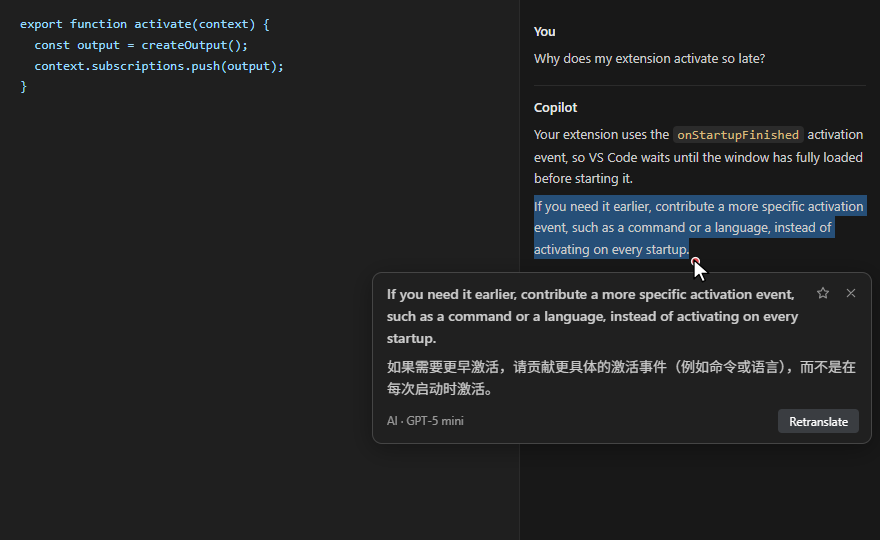
A little help while you read
Look up a word or translate a longer selection in Chat, Markdown previews, and other built-in pages.
Use Alt+Z for a paragraph or Alt+W for a full page. Press again to restore the original.
Use a VS Code language model, your preferred AI provider, or a compatible local endpoint.
AI translation sends the text being translated to your configured model provider or local endpoint. English-to-Chinese word lookups can use an offline dictionary.
Enabling the integration changes VS Code installation files. Review the disclosure before enabling it; you can disable the integration and restore the files. Read the documentation.